
mcpro24fps demo - video camera

star
3,28 hilj. recenzija

Svako
info
1 mil.+
Preuzimanja

Svako
Saznajte više


O aplikaciji
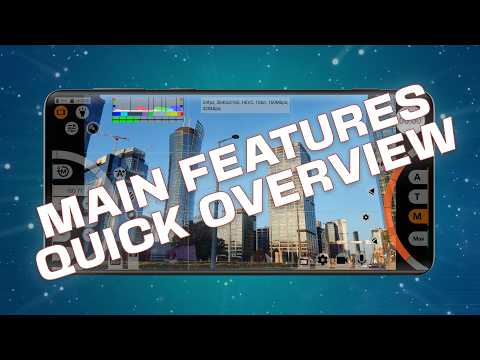
mcpro24fps demo is a free version of the professional camera app mcpro24fps. This application is designed to demonstrate the professional video shooting features available on your specific smartphone, aiding your decision-making process before purchasing.
Here’s what you can do:
Check the availability of the shooting modes and options that interest you.
Familiarize yourself with the video camera app's interface and evaluate its convenience.
Explore all the advanced tools of a professional camera with manual settings.
No gimmicks! No questions asked! No doubts!
You have the same camcorder as mc pro 24 fps in your hands with all its functional features, except for recording capabilities. Everything available in mcpro24fps demo on your phone will be accessible in the full version of the app.
Install demo version and discover everything that intrigues you!
Buy full version: https://bit.ly/mcpro24fps
Official website: https://www.mcpro24fps.com/
Our YouTube channel with helpful video tutorials: https://youtube.com/mcpro24fps
App chat on Telegram: https://t.me/mcpro24fps_en/
Here’s what you can do:
Check the availability of the shooting modes and options that interest you.
Familiarize yourself with the video camera app's interface and evaluate its convenience.
Explore all the advanced tools of a professional camera with manual settings.
No gimmicks! No questions asked! No doubts!
You have the same camcorder as mc pro 24 fps in your hands with all its functional features, except for recording capabilities. Everything available in mcpro24fps demo on your phone will be accessible in the full version of the app.
Install demo version and discover everything that intrigues you!
Buy full version: https://bit.ly/mcpro24fps
Official website: https://www.mcpro24fps.com/
Our YouTube channel with helpful video tutorials: https://youtube.com/mcpro24fps
App chat on Telegram: https://t.me/mcpro24fps_en/
Demo version of the mcpro24fps manual video camera. Try and buy a full version!
Ažurirano dana
Sigurnost počinje razumijevanjem na koji način programeri prikupljaju i dijele vaše podatke. Privatnost podataka i sigurnosne prakse se mogu razlikovati ovisno o korištenju, regiji i dobi. Programer je naveo ove informacije i može ih s vremenom ažurirati.
- Podaci se ne dijele s trećim stranamaSaznajte više o načinu na koji programeri pružaju izjavu o dijeljenju
- Podaci se ne prikupljajuSaznajte više o načinu na koji programeri pružaju izjavu o prikupljanju


Ocjene i recenzije
3,26 hilj. recenzija
Šta je novo
- Bulk file deletion: long-press a file to enter selection mode, tap to add more, then delete them all at once.
- The "Always hide" display mode is now available for every interface block except the bottom menu row.
- Bug fixes.
- The "Always hide" display mode is now available for every interface block except the bottom menu row.
- Bug fixes.
Svako
Saznajte višePodrška za aplikaciju
Informacije o programeru
CHANTAL PRO SIA
info@mcpro24fps.com
16-34 Bebru iela, Jekabpils
Jekabpils novads, LV-5201
Latvia
+48 571 250 452


