
Photo Collage Maker & Editor
Berisi iklanPembelian dalam aplikasi

star
1,43 jt ulasan

Semua Umur
info
100 jt+
Download
Nikmati aplikasi ini secara gratis, juga banyak aplikasi lainnya yang bebas iklan dan tanpa pembelian dalam aplikasi, dengan langganan Google Play Pass. Pelajari lebih lanjut


Tentang aplikasi ini
Photo Grid: Pic Collage Maker will Transform Photos into Elaborate Artwork!
With Photo Grid: Pic Collage Maker, an all-encompassing app for merging photos alongside creative layouts, filters and project building, create stunning art pieces. This app is perfect for memory books or sharing on social media since it’s so user friendly. Making collages has never been easier or more entertaining thanks to the built-in features of Collageable: Photo Collage Maker and Photogrid: Wallpaper Collage Maker, which both streamline the process of stunning collage creation.📄Photo Collage Significant Characteristics:📄
✨ Design splendid photo layouts with Photo Grid: Pic Collage Maker;
✨ Build stunning photo layouts with Collageable: Photo Collage Maker;
✨ Beautify backgrounds using Wallpaper Collage Maker: Photogrid tools;
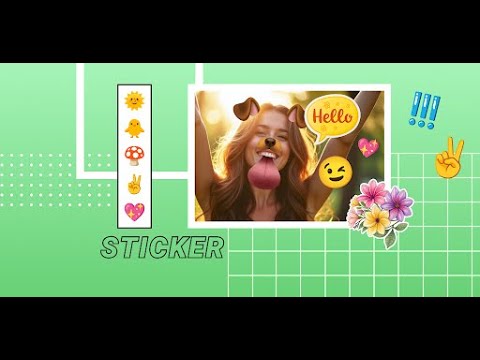
✨ Customize using Picstitch: Picture Collage & Photo Editor stickers and fonts;
✨ Edit freely using Photo Layout: Picture Editor & Photo Filters;
✨ Arrange images in templates using Pics Collage: Combine Photos;
✨ For a professional look, create stylish grids with Pic Stitch Image Layout!
With A Creative Layout, Capture Your Best Moments!
Change your daily photos into captivating stories with Photo Grid: Pic Collage Maker. From birthdays to holidays, you can celebrate special memories using special design tools. Photogrid: Wallpaper Collage Maker features lets you add flair using filters, borders, frames, or make artistic mosaics. Whatever your mood or event, you can instantly preview and adjust layouts.Each collage is a canvas with Collageable: Photo Collage Maker, pick numerous powerful visual message templates, modern or classic. Multiple images can be combined to one. The Photo Grid: Pic Collage Maker intuitive layout system helps you arrange your pictures in creative formats effortlessly.
Artistic Editing Made Simple: 🎨
Selfies can be taken to the next level with powerful filters and trendy effects on Picstitch: Picture Collage & Photo Editor. You can dress images using custom text and neon outlines, or apply the sketch feature to get a hand-drawn effect. For image tone, lighting, or retouching edits with a single tap, use Photo Layout: Picture Editor & Photo Filters.
Perfect Grids and Layouts: 🖼️
With Pics Collage: Combine Photos, create advanced side-by-side frames, mirror effects, and photo grids. Want bold color pop collages, or minimalist style? No problem. Pic Stitch Image Layout ensures precision. Picstitch: Picture Collage & Photo Editor is easy to use, but still give creative perfectionists the power they need.
Create and Share with Style: 🌟
Photogrid: Wallpaper Collage Maker and Photo Grid: Pic Collage Maker offer you stylish ways to show off your collages. Save in high resolution and optimally for any platform. You are covered whether it’s a memory book collage or a quick photo post.
Utilize Every Photo Layout To Its Full Potential!
You can now transform your dull pictures into breath-taking ones through Collageable: Photo Collage Maker. You may create simple and beautiful layouts for your selfies using Pic Stitch Image Layout along with their Photo Layout: Picture Editor & Photo Filters. Discover countless layout combinations with Pics Collage: Combine Photos and Photogrid: Wallpaper Collage Maker.Picture collage editor photo grid maker, fun pic collage maker with photo frame!
Diupdate pada
Keamanan dimulai dengan memahami cara developer mengumpulkan dan membagikan data Anda. Praktik privasi dan keamanan data dapat bervariasi berdasarkan penggunaan, wilayah, dan usia Anda. Developer memberikan informasi ini dan dapat memperbaruinya seiring waktu.
- Aplikasi ini dapat membagikan jenis data ini kepada pihak ketigaPerangkat atau ID lainnya
- Tidak ada data yang dikumpulkanPelajari lebih lanjut cara developer menyatakan pengumpulan data
- Data dienkripsi saat dalam pengiriman
- Data tidak dapat dihapus


Rating dan ulasan
1,37 jt ulasan

Yahya Haligi
- Tandai sebagai tidak pantas
7 Januari 2023
Sedikit lagi aplikasi anda ini akan sempurna jika; layer untuk PIP ada, supaya bisa multi gambar di atas background yang bebas digeser-geser sampai waktunya save. Akibat tidak adanya PIP terpaksa harus save dulu untuk masuk lagi menambahkan gambar, sehingga kreasi untuk mengkustom ulang gambar pertama tidak bisa lagi. 🙏
100 orang merasa ulasan ini berguna

Pengguna Google
- Tandai sebagai tidak pantas
9 November 2019
BAGUS,aplikasi yang sangat membantu saya dalam mengedit phto menjadi kecil,juga untuk mengabungkan beberapa phto menjadi beberapa dalam satu fream,dan dari kita nya aja yang memilih mau phtonya terlihat seperti apa edit sesuai kemauan si pengedit.selamat mencoba.
268 orang merasa ulasan ini berguna

Media Mei
- Tandai sebagai tidak pantas
- Tampilkan histori ulasan
22 Agustus 2021
Bagus ...sdh 3-4 thn sy pk ini ,sayang MB nya besar ga sesuai sama kemampuan HP nya yg sekarang terpaksa di copot dulu Ramnya cuma 1 GB 😭🤦🤷...tungggu ada rizqi bs kebeli HP br yg Ram nya besar biar bs download lg 🙏 Untuk bnyknya iklan ga masalah...biar ga mengganggu ...matikan dulu daya selulernya selama mengedit foto jd gada iklan yg muncul...lancar² aja ...selama ini begitu sy mah
97 orang merasa ulasan ini berguna
Yang baru
Improvements
Dukungan aplikasi
Tentang developer
ROUNDS AI LTD
support@firehawk.ai
18/7 Yechezkel
TEL AVIV-JAFFA, 6259524
Israel
+1 740-754-0716


