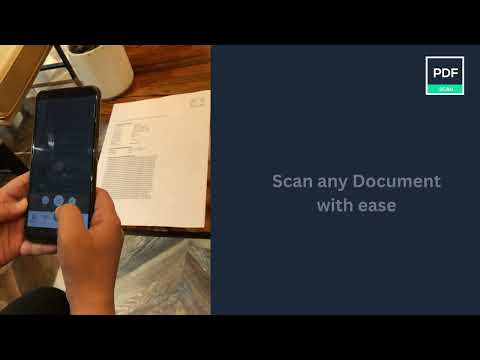

PDF scanner- Document scanner
Reklamalar mavjudIlova ichida xaridlar

star
29,5 ming ta sharh

Hamma uchun
info
1 mln+
Yuklanmalar


Bu ilova haqida
PDF Scanner - Document Scanner App, Scan to OCR, PDF, JPG, Text-HD PDF Scanner is a powerful Document Scanner application for scanning documents anywhere and anytime. You can scan, save, archive, and share the documents.
PDF Scanner or Document Scanner is the Best Camera scanner app. It turns your phone camera into a PDF, text, word Scanner or PDF Maker. You can easily share scanned files as PDF or JPEG or word or text. Easy to use PDF converter app.
PDF Scanner, The Camera Scanner App is the best Doc Scanner & a must-have application for those people who are always travelling for business purposes. They can easily send scanned documents while being on the move. In this Document Scanner, PDF Conversion is completely offline and requires no internet connection.
Best features of PDF Scanner app and PDF Converter is -
✨Scan Unlimited Documents
✨Completely free with no subscriptions whatsoever
✨ No Internet required
✨Password protect your PDF File
✨JPEG Scanner
Using this Pdf Maker, save your PDF file in history and in the list of recently used documents.
The documents scanned in Camera Scanner (or kaagaz Scanner/ True Scanner) or Document scanner are not uploaded to any server for any processing. Document recognition in the photos after scanning is done on the device.
Scan almost anything with the Camera scanner or Document scanner or pdf scanner.
Features of PDF Scanner - Document Scanner –
🤩 Unlimited scans of documents & Kaagaz allowed.
🤩 Completely free with no subscriptions whatsoever
🤩No internet is needed to scan the documents or kaagaz.
🤩 PDF Maker: Select images to make a single pdf, Also use pdf converter
🤩 PDF reader, Additional PDF converter features added recently e.g text to pdf, excel to pdf, images to pdf.
🤩 You can create a password-protected pdf file also.
🤩 Remove the duplicate pages easily from the pdf
🤩 Easily open the pdf with any pdf viewer.
🤩 JPG Scanner
How to scan documents with PDF Scanner App –
1. Just click on the create new pdf tab and start scanning your document.
2. You can also select an image or a document from your gallery to scan.
3. Crop the edges according to your requirement.
4. Free filters for your documents and also you can use a brush to add your own colors.
5. You can compress your file according to the size you need in our PDF Scanner
6. You can choose the page type e.g A4, Legal, Ledger, etc
7. You can add your watermark to the document you are scanning.
8. After you have scanned your document, you can send and share it via email, WhatsApp, etc
PDF Scanner is free to use app for users. Any feedback is welcomed at rpdev92@gmail.com.
This PDF Scanner - Camera Scanner app is a part of Apps by A1 an entity of Rhophi Analytics LLP.
PDF Scanner or Document Scanner is the Best Camera scanner app. It turns your phone camera into a PDF, text, word Scanner or PDF Maker. You can easily share scanned files as PDF or JPEG or word or text. Easy to use PDF converter app.
PDF Scanner, The Camera Scanner App is the best Doc Scanner & a must-have application for those people who are always travelling for business purposes. They can easily send scanned documents while being on the move. In this Document Scanner, PDF Conversion is completely offline and requires no internet connection.
Best features of PDF Scanner app and PDF Converter is -
✨Scan Unlimited Documents
✨Completely free with no subscriptions whatsoever
✨ No Internet required
✨Password protect your PDF File
✨JPEG Scanner
Using this Pdf Maker, save your PDF file in history and in the list of recently used documents.
The documents scanned in Camera Scanner (or kaagaz Scanner/ True Scanner) or Document scanner are not uploaded to any server for any processing. Document recognition in the photos after scanning is done on the device.
Scan almost anything with the Camera scanner or Document scanner or pdf scanner.
Features of PDF Scanner - Document Scanner –
🤩 Unlimited scans of documents & Kaagaz allowed.
🤩 Completely free with no subscriptions whatsoever
🤩No internet is needed to scan the documents or kaagaz.
🤩 PDF Maker: Select images to make a single pdf, Also use pdf converter
🤩 PDF reader, Additional PDF converter features added recently e.g text to pdf, excel to pdf, images to pdf.
🤩 You can create a password-protected pdf file also.
🤩 Remove the duplicate pages easily from the pdf
🤩 Easily open the pdf with any pdf viewer.
🤩 JPG Scanner
How to scan documents with PDF Scanner App –
1. Just click on the create new pdf tab and start scanning your document.
2. You can also select an image or a document from your gallery to scan.
3. Crop the edges according to your requirement.
4. Free filters for your documents and also you can use a brush to add your own colors.
5. You can compress your file according to the size you need in our PDF Scanner
6. You can choose the page type e.g A4, Legal, Ledger, etc
7. You can add your watermark to the document you are scanning.
8. After you have scanned your document, you can send and share it via email, WhatsApp, etc
PDF Scanner is free to use app for users. Any feedback is welcomed at rpdev92@gmail.com.
This PDF Scanner - Camera Scanner app is a part of Apps by A1 an entity of Rhophi Analytics LLP.
Scan & Convert JPG to PDF with our Document Scanner & share Docs with HD quality
Oxirgi yangilanish
Xavfsizlik — dastur ishlab chiquvchilar maʼlumotlaringizni qanday jamlashi va ulashishini tushunishdan boshlanadi. Maʼlumotlar maxfiyligi va xavfsizlik amaliyotlari ilovadan foydalanish, hudud va yoshga qarab farq qilishi mumkin. Bu axborot dastur ishlab chiquvchi tomonidan taqdim etilgan va keyinchalik yangilanishi mumkin.
- Tashqi hamkorlarga hech qanday axborot ulashilmaganDastur ishlab chiquvchilar axborot ulashilishini qanday aytishi haqida batafsil
- Ushbu ilova quyidagi axborot turlarini toʻplashi mumkinMen haqimda, Suratlar va videolar va yana 4 ta
- Maʼlumotlar uzatish vaqtida shifrlanadi
- Maʼlumotlar oʻchmaydi


Reytinglar va sharhlar
29,3 ming ta sharh

Hasan Sattorov
- Nomaqbul deb belgilash
3-dekabr, 2022
Yaxshi ilova.Tavsiya qilaman👍

Sodiqjon Teshaboyev
- Nomaqbul deb belgilash
17-noyabr, 2023
gooo
Nima yangiliklar
- Bug Fixes.
Ilova yuzasidan yordam
Dasturchi haqida
RHOPHI ANALYTICS FZCO
connect@a1apps.co
Building A1, Dubai Digital Park, Dubai Silicon Oasis
إمارة دبيّ
United Arab Emirates
+971 58 566 5416


