
Paint for Android
Contains adsIn-app purchases

star
17.4K reviews

Everyone
info
1M+
Downloads


About this app
What is Paint for Android?
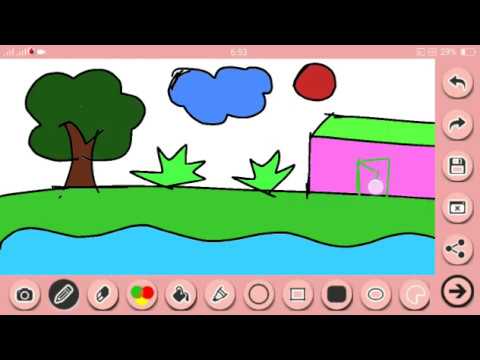
Turn a picture idea into a digital sketch with this drawing app for Android. Paint, add details and create something to share, whether you have a scene in mind or just want to doodle.
Who is Paint for Android for?
Use it for casual drawing practice, a creative break or a picture with a personal message. Start with a simple idea: a house, a flower or a greeting for a friend.
What does Paint for Android do?
• Choose from multiple brushes for different strokes;
• Build pictures with circles, ovals and rectangles;
• Draw on photos to add your own details;
• Add text for names, captions or short messages;
• Correct marks with the eraser, undo and redo;
• Save and share your finished artwork.
Combine a shape with freehand lines, or give a photo a playful caption. A drawing does not need to be elaborate to express an idea.
How does Paint for Android work?
Choose a brush and begin drawing, or use a photo as your starting point. Add shapes or text where you want them. Undo a change, redo it if you prefer the earlier result, or erase an unwanted mark. Save your picture when it is ready and share it with someone you choose.
For drawing practice, try the same subject in different ways: outline a flower, build a house from shapes or draw on photos to explore an idea.
Compatibility and requirements
This is an Android app. It contains ads and offers in-app purchases.
Paint for Android brings drawing, photo sketching and personal messages together so you can turn an idea into a picture of your own.
Permissions:
Photos and Media / Storage Access (READ_MEDIA_IMAGES, READ_MEDIA_VIDEO, READ_EXTERNAL_STORAGE):
Photos / Media Access: Paint for Android requires access to your device's photos and media solely to allow you to import images for editing, background removal, and painting, as well as to save your created artwork directly to your device. We do not access or share your private files without your direct action.
Fantastic Paint for Android Application. Enjoy painting and drawing.
Updated on
Safety starts with understanding how developers collect and share your data. Data privacy and security practices may vary based on your use, region, and age. The developer provided this information and may update it over time.
- This app may share these data types with third partiesDevice or other IDs
- No data collectedLearn more about how developers declare collection
- Data is encrypted in transit
- Data can’t be deleted


Ratings and reviews
14.1K reviews

Milan MyK (Milan)
- Flag inappropriate
December 6, 2022
Uninstalled within few minutes of use. I haven't got to try all the feature, but the ads is already blocking the paint screen, also not sure ads is due to developers config, the ads seem auto-redirect even without clicking it make give me worst experience. I was hoping to find some similarities with windows Ms Paint apps on Android.but maybe there aren't any?.
84 people found this review helpful
Prometheus Interactive LLC
December 30, 2022
We are sorry for this, but to continue work on this free app we need revenue from Ads. If you don't want to see the Ads you can purchase the Pro version. Thanks for your understanding!

Fredrico Rosenfield
- Flag inappropriate
- Show review history
June 27, 2025
I just drew a picture of BoMBeRMaN with this thing and it came out GREATLY! This application has recently been updated. I just drew a Dragonball with it earlier and it came out great. It was already a good app for fast drawing..now it's easier and even better. It's 2024 and I'm STILL using this thing. I do enjoy it. Just drew the chicken from Space Chicken Shooter and it came out fine. It's NOT Microsoft Paint, but if it works it WORKS. I love you. Recent updates have made performance smoother.
151 people found this review helpful

Heather Snedigar
- Flag inappropriate
April 11, 2021
Although it appears to have a handful of the features I need, the ability to open a .jpg or .png file and edit it using this app doesn't appear to be available. Also, I can't add or use other fonts. Those two are must haves for me so I'm uninstalling and contintuing my search.
149 people found this review helpful
What’s new
Remove Ads options Added
New Paint Tool Added
Bug Fixed
New Paint Tool Added
Bug Fixed
App support
About the developer
Alvva Inc.
support@useprometheus.app
8 The Grn Ste 4184
Dover, DE 19901-3618
United States
+1 270-515-6031


